LUMIX LINK2.1.22
Publisher Description
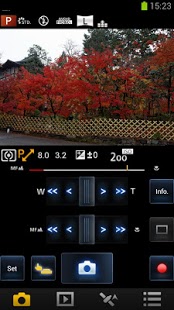
“LUMIX LINK” is an application that makes it possible to use your smartphone to remotely control the shooting and playback functions of a LUMIX digital camera equipped with wireless communication functions and perform upload operations to SNS sites.
The following functions are available in this application.
(Compatible models are listed in parentheses.)
・ A function that allows you to see the same image as that on the camera’s Live View screen during shooting (FX90, SZ5, GH3)
・ Functions for transferring recorded pictures from the camera to your smartphone, and for uploading them to SNS sites (FX90, SZ5, GH3)
・ Functions for playing back or deleting recorded pictures in the camera from your smartphone, copying them to your smartphone, and uploading them to SNS sites (SZ5, GH3)
・ A function for recording location data using GPS (SZ5, GH3)
・ A function for adding location data obtained using your smartphone to pictures in the camera (SZ5, GH3)
・ Functions for sending and receiving pictures using the LUMIX CLUB Cloud Sync. Service (SZ5, GH3)
[Notes]
・ Continued use of GPS running in the background can dramatically decrease battery life.
・ In order to use the Cloud Sync. Service, you must first obtain a service user ID for Panasonic’s service LUMIX CLUB (free of charge).
This application is compatible with smartphones with the following OS versions.
Android OS 2.2 – 4.2
About LUMIX LINK
The company that develops LUMIX LINK is Panasonic Corporation. The latest version released by its developer is 2.1.22. This app was rated by 1 users of our site and has an average rating of 5.0.
To install LUMIX LINK on your Android device, just click the green Continue To App button above to start the installation process. The app is listed on our website since 2013-05-21 and was downloaded 253 times. We have already checked if the download link is safe, however for your own protection we recommend that you scan the downloaded app with your antivirus. Your antivirus may detect the LUMIX LINK as malware as malware if the download link to jp.co.panasonic.lumix_link.activity is broken.
How to install LUMIX LINK on your Android device:
- Click on the Continue To App button on our website. This will redirect you to Google Play.
- Once the LUMIX LINK is shown in the Google Play listing of your Android device, you can start its download and installation. Tap on the Install button located below the search bar and to the right of the app icon.
- A pop-up window with the permissions required by LUMIX LINK will be shown. Click on Accept to continue the process.
- LUMIX LINK will be downloaded onto your device, displaying a progress. Once the download completes, the installation will start and you'll get a notification after the installation is finished.
Program Details
System requirements
Download information
Pricing
Version History
version 2.1.22
posted on 2013-05-21
Several fixes and updates
version 2.1.22
posted on 2013-05-21
1920 x 1080, 60p[NTSC]/50p[PAL], 28Mbps mode is added in the video recording option of [MP4].
